INDUSTRY:
Product Design
YEAR:
2025
EXPERIENCE:
3D Modelling and UX Research
SOFTWARE:




Osmis
A human-centered redesign of a domestic water filter focused on ergonomics and everyday use.
UX Research
Conceptual Design
UI and Visual Design
3D Modelling
Marketing
Group Project | DEA 1150 | SP25
about.
Loneliness often reveals itself in ordinary routines. Nearly 1 in 3 adults feel lonely at least once a week. Everyday rituals like drinking water – frequent, repetitive, and usually unnoticed - become moments where connection feels absent. In my family, hiccups were seen as a sign that someone was thinking of you. This small superstition shaped how I understood connection, and it became the foundation of my design problem: How might I transform ordinary hydration into a moment of care between people who care about each other?
The challenge was to create a device that:
Felt emotionally present without being intrusive
Was intuitive and dependable in everyday use
Built trust through clear, unambiguous feedback


challenge.

The main challenge was to create mockups that would be not only visually appealing but also user-friendly and adaptable for various graphic styles. Each mockup needed to look realistic, accurately displaying designs without distortion or loss of quality. Perfecting light and screen reflections, so they enhanced rather than obscured the displayed content, was also essential. Creating an intuitive, easy-to-use system for users to customize their mockups was a core focus throughout the project.
research.
To ground the design in real behavior and emotional needs, I conducted a series of qualitative research activities:
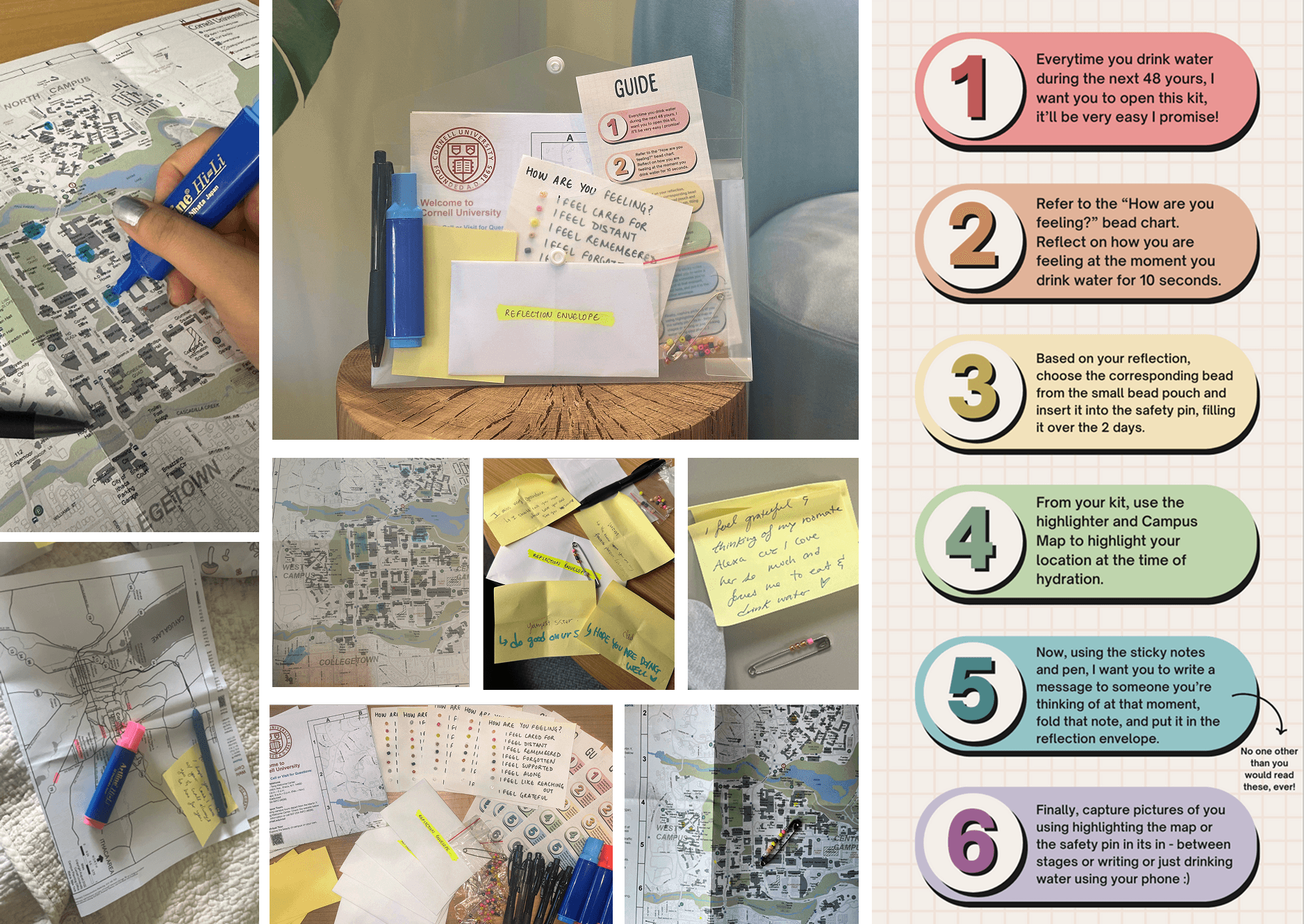
Cultural probes to understand hydration habits and personal rituals
Hydration often happens in quiet, transitional moments rather than social settings
Users associated care with with intentional pauses
Small, repeated rituals held more emotional meaning than occasional grand gestures
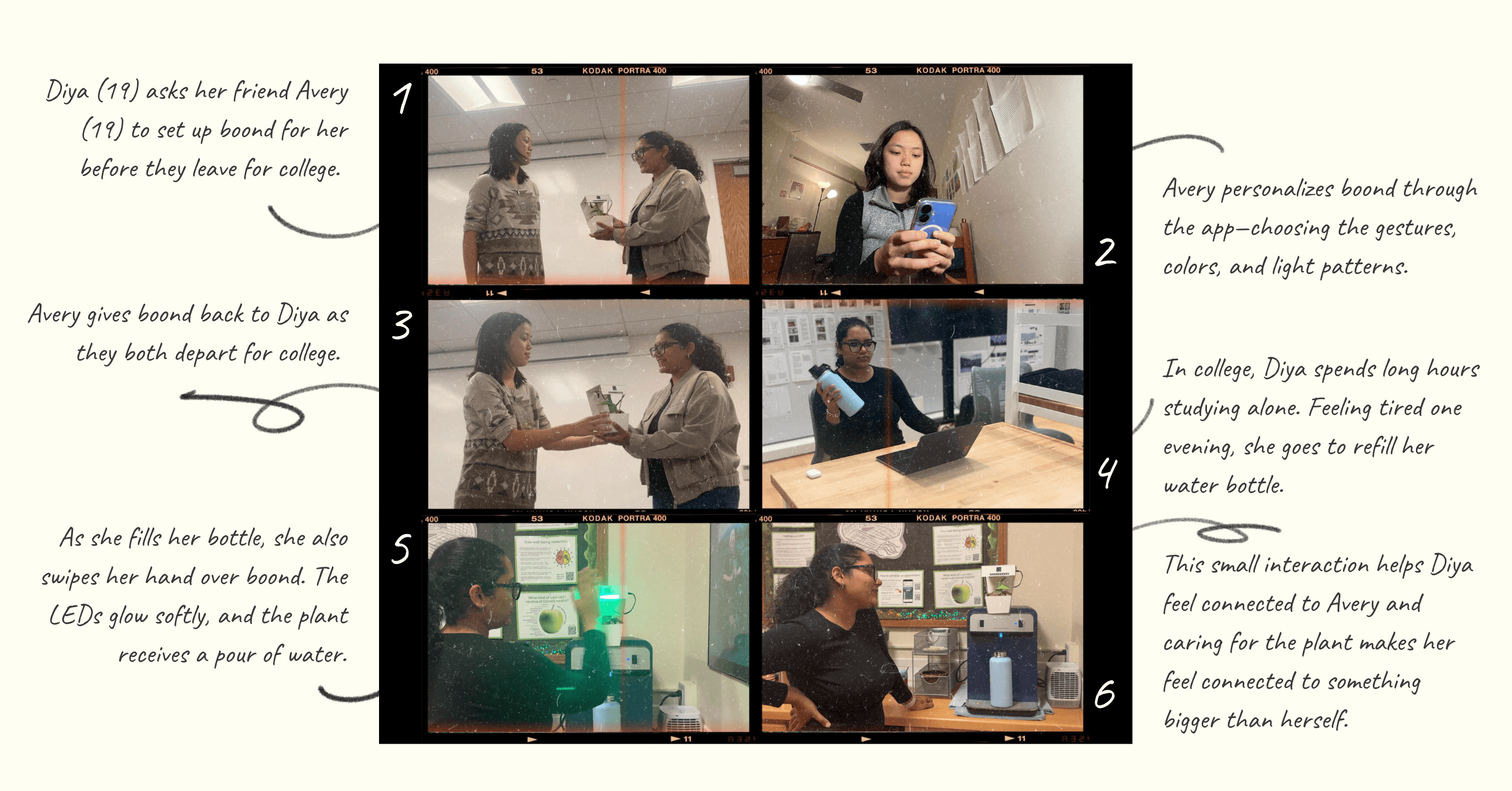
Scenario-based testing to explore use case, personalization, and long-term use
Emotional value was amplified when the sender could encode meaning into the interaction
Users preferred open-ended personalization and minimal explanation over prescriptive instructions
User experience testing focused on intuitiveness, gesture discovery, and emotional response during interaction
Subtle, ambient feedback was preferred over explicit alerts
When gesture recognition felt inconsistent, trust dropped quickly
Clear confirmation of activation was critical
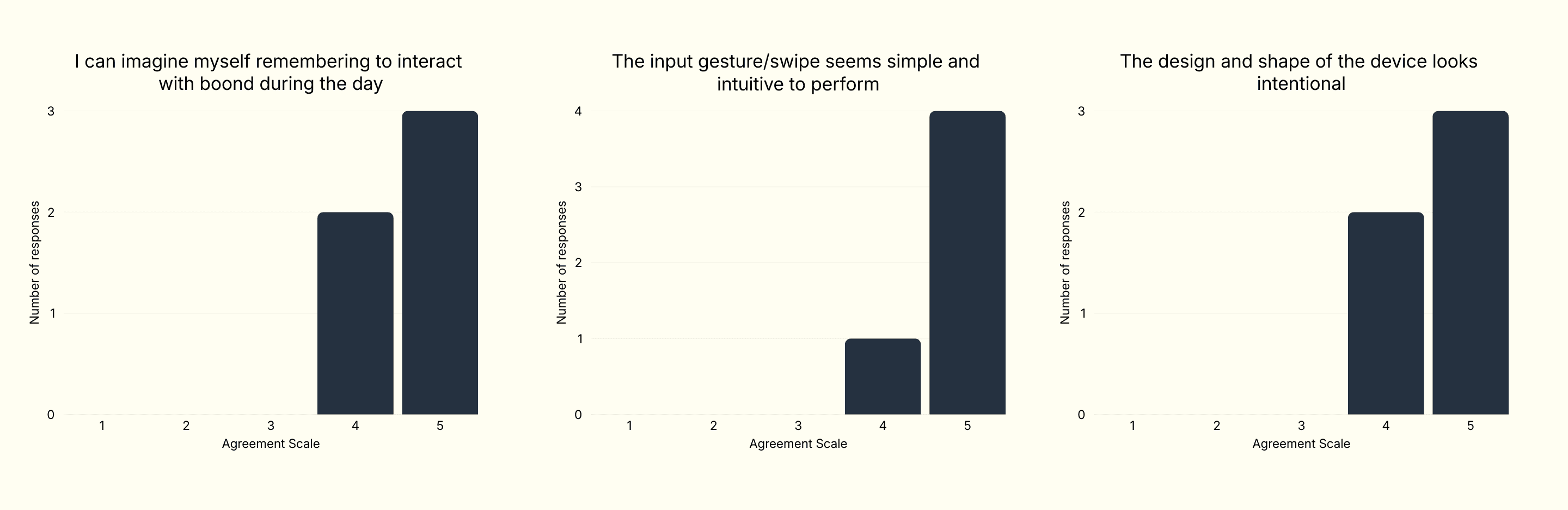
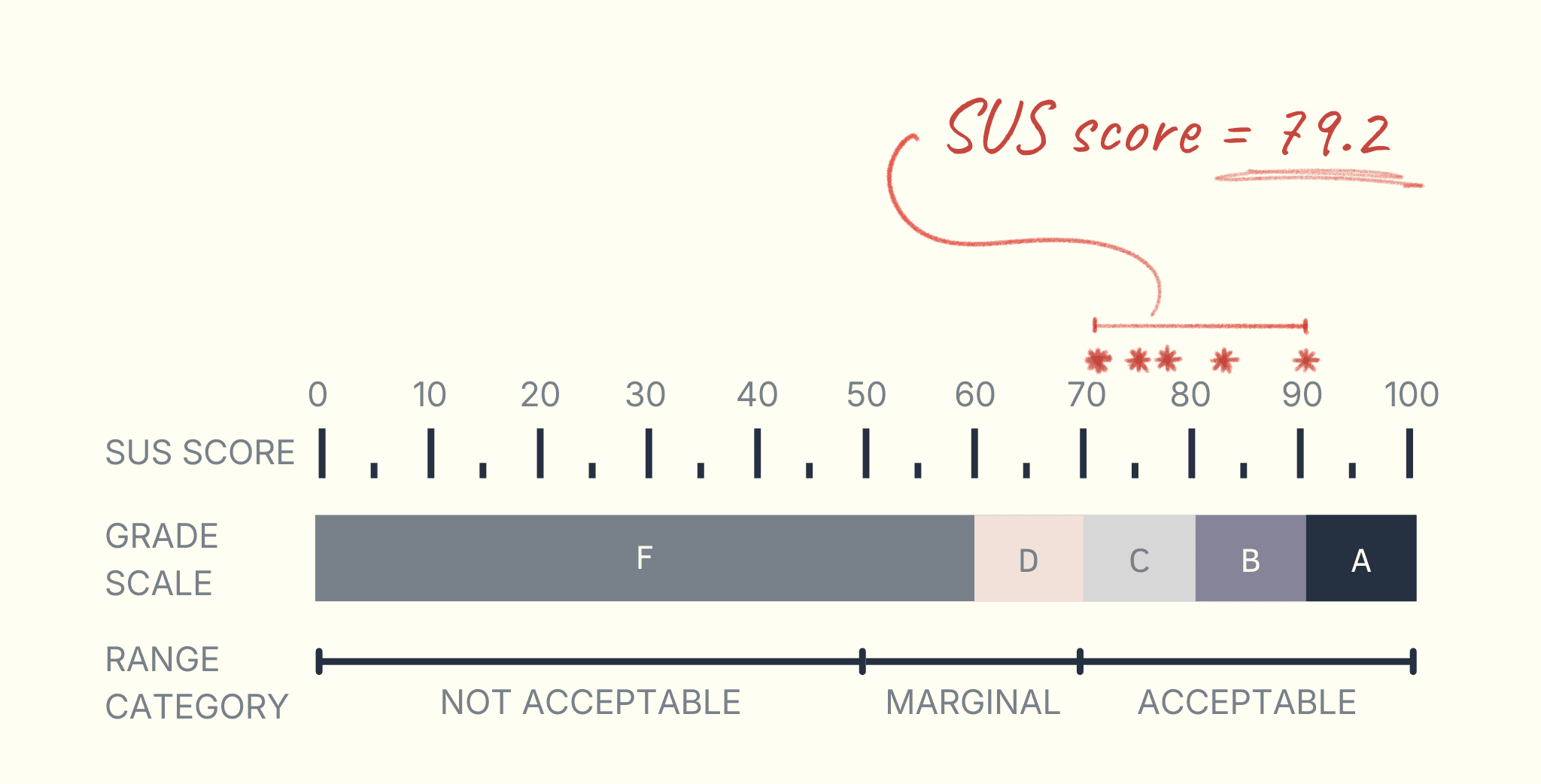
System Usability Scale (SUS) assessments to validate usability
The system scored high on perceived ease of use
Users described the experience as calming rather than effortful
Reliability mattered more to users than feature richness
iterative process.
Prototype 1:
Tested basic gesture sensing and LED response
Revealed issues with accidental activation and unclear feedback
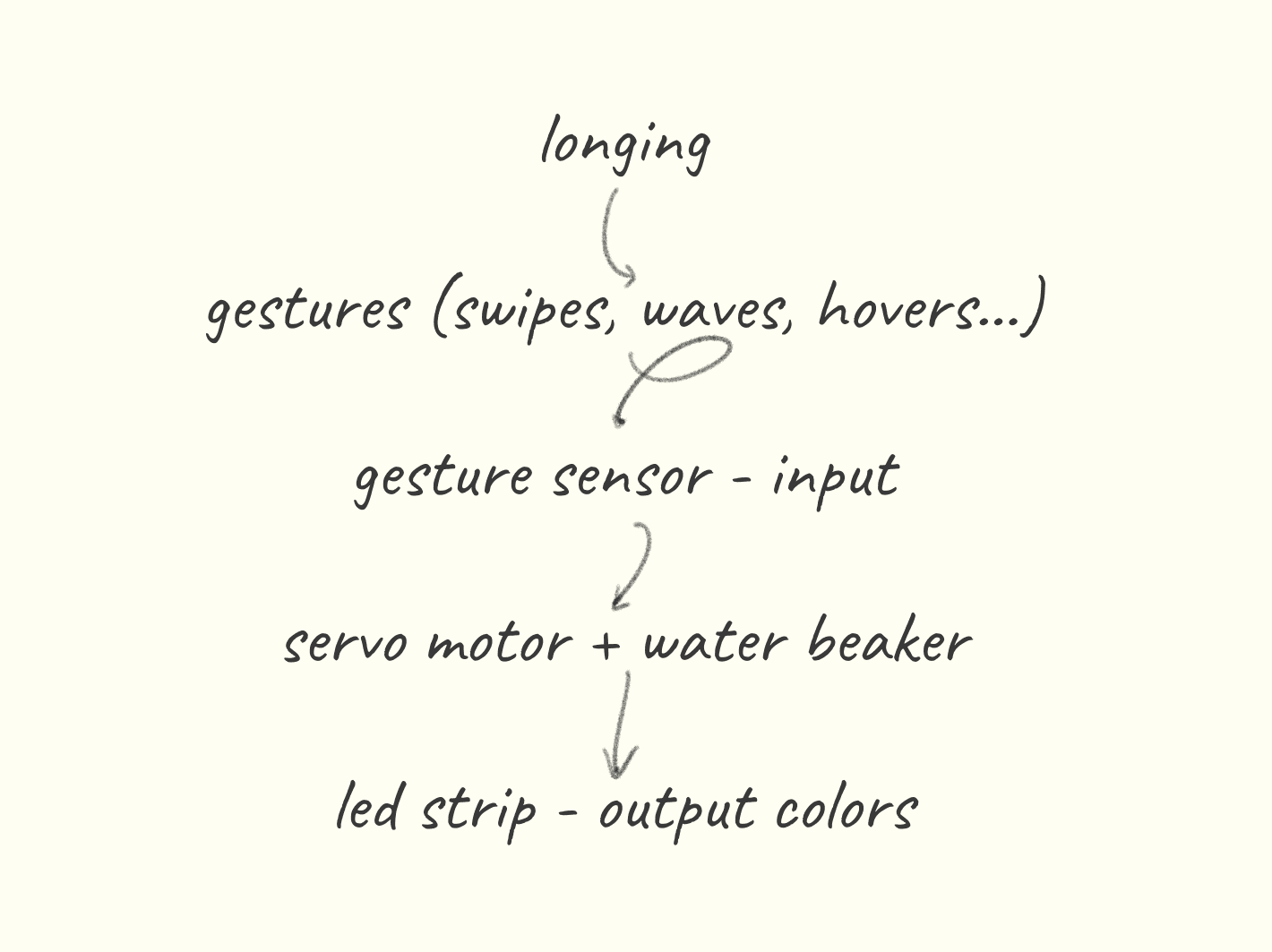
Prototype 2:
Improved sensor placement and enclosure
Introduced clearer gesture-to-light mapping
Users requested stronger confirmation of activation
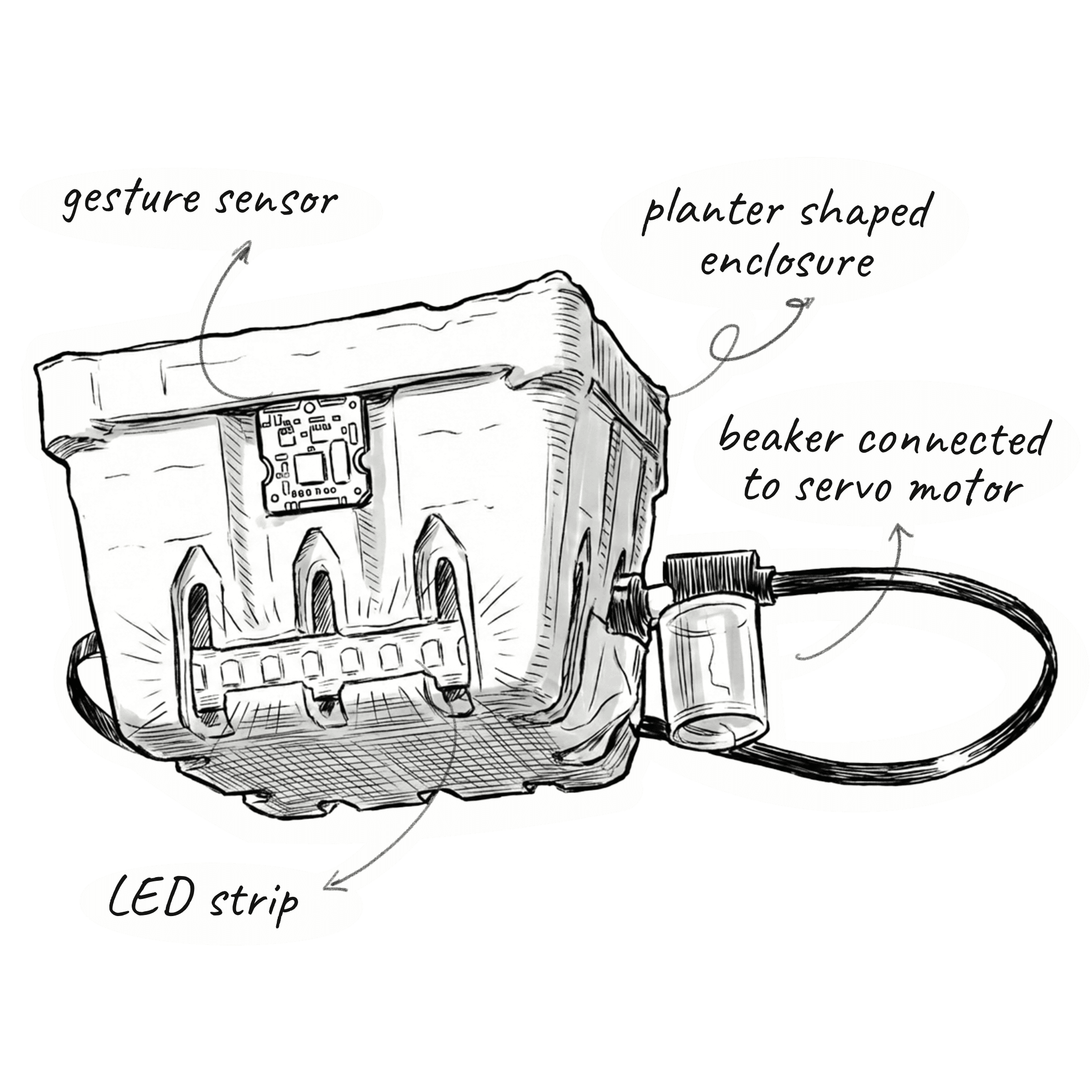
Prototype 3:
Refined gesture accuracy and LED animations
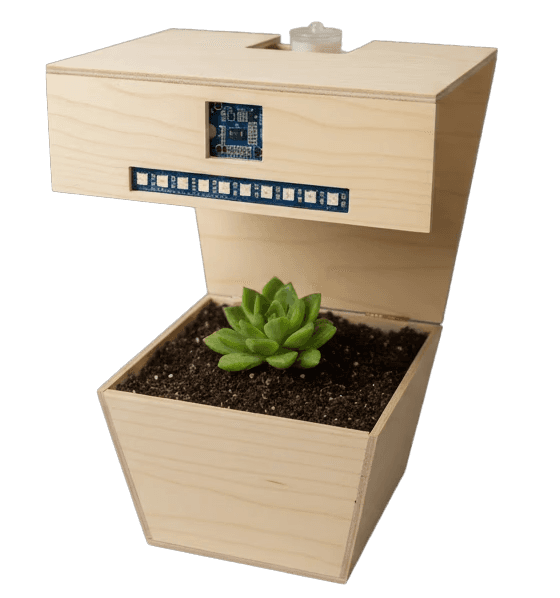
Integrated planter structure to soften the technological presence and generated CAD and low-fidelity models
Supported more intentional, repeatable interactions
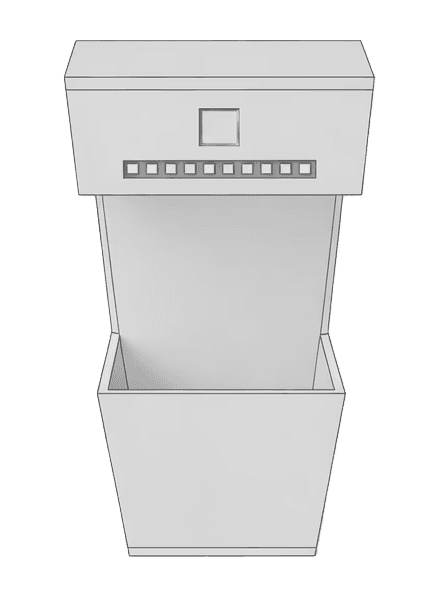
result.
The final Visual Screen Models product received positive feedback for its versatility and ease of use. These mockups proved to be a valuable resource for both professional designers and emerging creatives looking to present their work at a high standard. The set has been used across online portfolios, social media, and product presentations. Users praised the realistic and high-quality nature of these mockups, which helped give their work a more professional edge and increased project value.
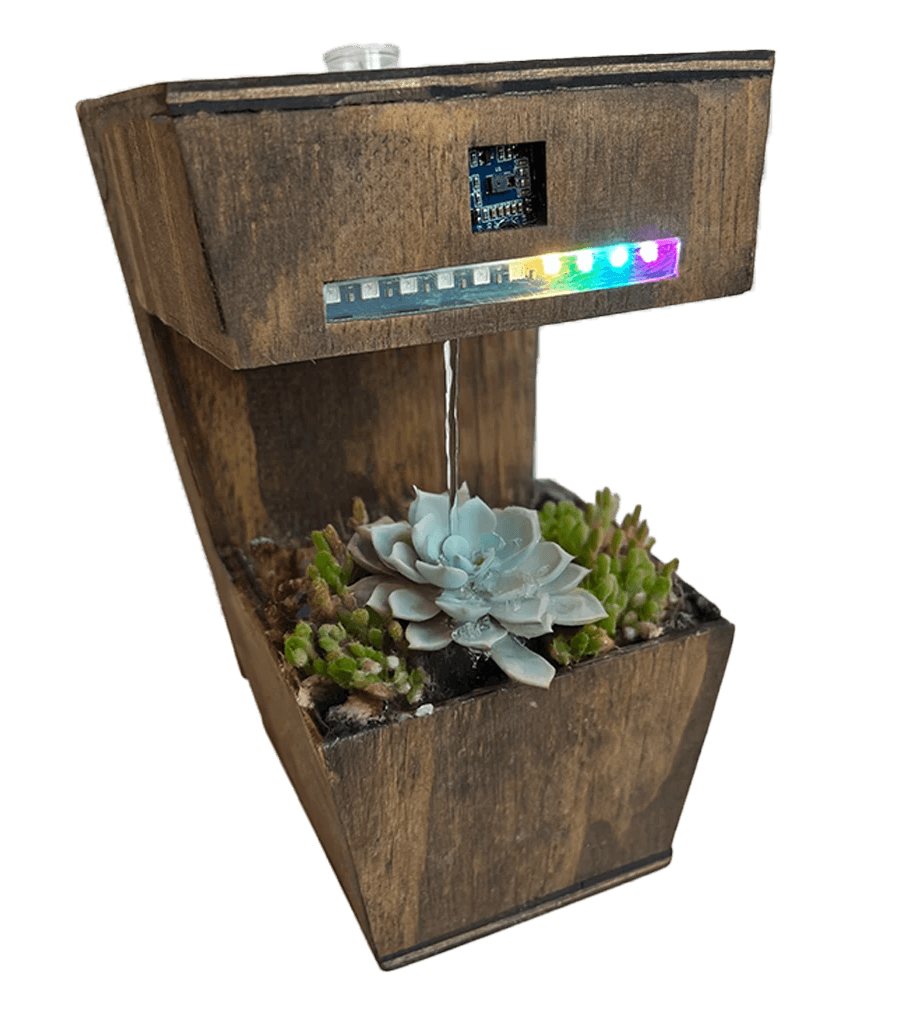
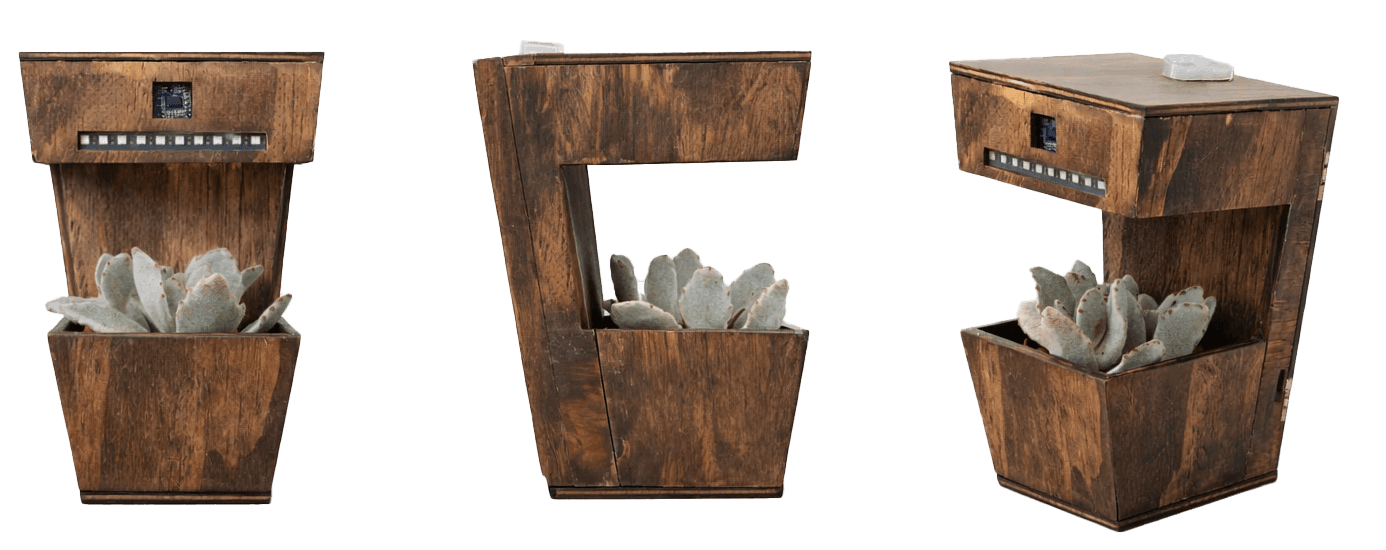
Physically, the final prototype brings together refined gesture detection, adjustable LED animations, and a structured and cohesive planter enclosure. The enclosure was developed through iterative CAD exploration in Rhino, while rapid physical prototyping supported testing sensor placement, enclosure proportions, and interaction ergonomics. The form is intentionally restrained, allowing the interaction and emotional experience to remain central rather than performative.
MODE 1
Swipe right/left
Fast LEDs
Fast pour
Soothing color
MODE 2
Swipe up/down
Slow LEDs
Slow pour
Soothing color
MODE 3
Hover/push/pull
LED loop
No pour
Rainow colors
The Visual Screen Models simplified our work, adding professionalism and realism to our presentations. Perfect for elevating any portfolio.